
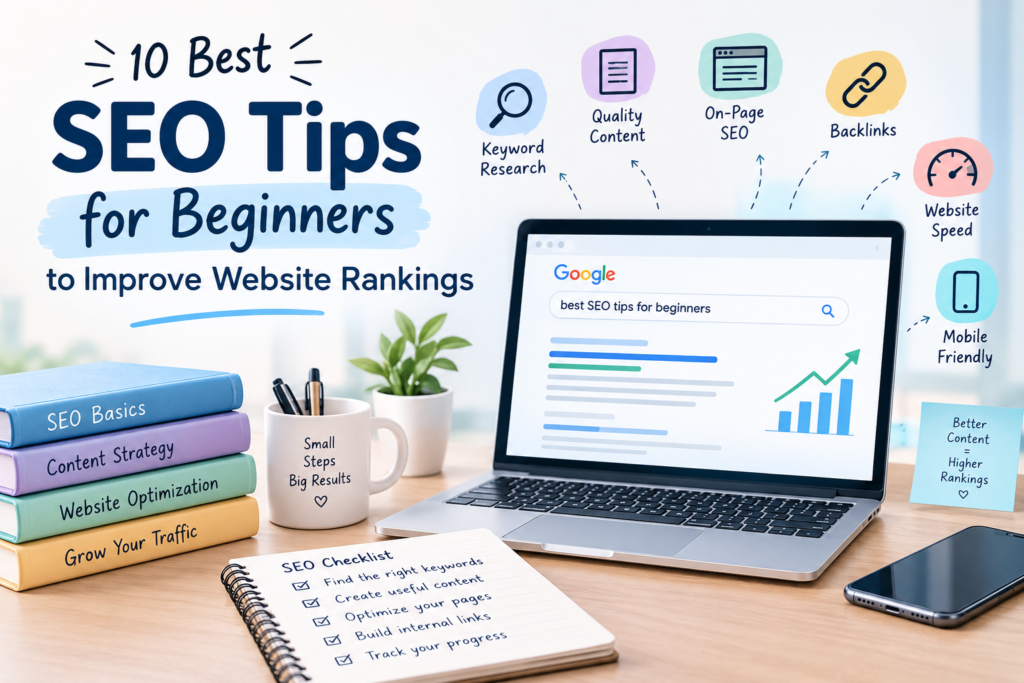
10 Best SEO Tips for Beginners to Improve Website Rankings
Introduction
Search engine optimization (SEO) is an important part of digital marketing. It helps websites appear in search engine results when people search for information, products, or services online. If you have a website or blog, learning SEO can help you reach more people and improve your online visibility.
For beginners, SEO may seem complicated at first, but understanding a few basic techniques can make it easier. You do not need to learn everything in one day. By applying the right strategies consistently, you can gradually improve your website.
In this blog, we will discuss 10 useful SEO tips for beginners that can help you optimize your website and attract more organic traffic.
1. Find the Right Keywords
Keyword research is one of the first steps in SEO. Keywords are the words or phrases people type into search engines to find information.
For example, if you write a blog about digital marketing, your keywords might include “digital marketing tips” or “SEO for beginners.”
Choose keywords that are relevant to your topic and match what your audience wants to know. You can use tools such as Google Keyword Planner and Google Trends to explore keyword ideas.
Avoid adding the same keyword repeatedly just to improve rankings. Instead, use it naturally throughout your content.
2. Write High-Quality Content
Content plays an important role in SEO. Your website should provide useful, accurate, and original information that answers readers’ questions.
Before writing a blog post, understand your topic and identify what your audience wants to learn. Organize your information into clear sections and use simple language.
Avoid copying content from other websites. Original content helps you provide value to readers and build trust with your audience.
Remember that your main goal should be to help readers, not just to include keywords.
3. Optimize Your Page Titles
A page title tells search engines and users what your page is about. A clear and relevant title can help people understand your content before visiting your website.
Include your primary keyword naturally in the title when appropriate.
For example, if your focus keyword is “SEO tips for beginners,” you could use the title “10 Best SEO Tips for Beginners to Improve Website Rankings.”
Keep your title descriptive and relevant to the actual content. Avoid repeating keywords unnecessarily.
4. Write Effective Meta Descriptions
A meta description is a short summary of a webpage that may appear below its title in search results.
A well-written meta description helps users understand what they can expect from your page. It can also encourage relevant users to click on your result.
Include your focus keyword naturally and explain what readers will learn from your content.
For example, a blog about SEO tips for beginners can mention keyword research, content optimization, and website performance.
Google may generate a different search snippet depending on the user’s search, so your meta description is not guaranteed to appear exactly as written.
5. Use Proper Headings
Headings make your content easier to read and help organize information into meaningful sections.
Use an H1 heading for the main page title and H2 headings for major sections. You can use H3 headings for smaller sections within an H2 section.
For example, in a blog about SEO tips for beginners, each major tip can have its own H2 heading.
Keep your headings clear and relevant to the content below them. Avoid using headings only to add keywords.
6. Optimize Your Images
Images make blog posts more interesting and can help explain information visually. However, large image files can slow down your website.
Use appropriately sized images and compress them before uploading. Choose descriptive file names instead of generic names such as “IMG1234.”
Add alternative text (alt text) that accurately describes an image when it provides meaningful information. This can help search engines understand the image and improve accessibility.
Do not fill alt text with unnecessary keywords. Keep it natural and relevant.
7. Make Your Website Mobile-Friendly
Many people browse websites using smartphones. If your website is difficult to use on a mobile device, visitors may struggle to read your content or navigate between pages.
Choose a responsive website design that adjusts to different screen sizes. Make sure your text is readable, buttons are easy to tap, and menus work correctly.
You can use Google’s PageSpeed Insights to check website performance and identify potential mobile usability and speed improvements.
A good mobile experience makes your website more accessible to visitors.
8. Improve Website Loading Speed
Website speed affects the user experience and is one of the factors considered in Google’s page experience systems.
A slow website can frustrate visitors, especially when pages take too long to load.
To improve performance, compress images, avoid unnecessary plugins, use caching where appropriate, and remove unused website elements.
If you use WordPress, check your hosting performance and optimize your website carefully. After making changes, test your pages to ensure they still work correctly.
9. Build Relevant Internal Links
Internal links connect one page of your website to another page on the same website.
For example, if you publish a blog about SEO, you can link to another relevant article about keyword research or digital marketing.
Internal linking helps visitors discover related content and helps search engines understand the relationships between your pages.
Use descriptive anchor text so readers know what to expect when they click a link. Only link to pages that are relevant to the topic.
10. Track Your SEO Performance
SEO is an ongoing process. Publishing content is important, but you should also monitor how your website performs over time.
Google Search Console helps you understand which search queries bring visitors to your website, how often your pages appear in search results, and how many clicks they receive.
Google Analytics can provide additional information about website traffic and visitor behavior.
Review your results regularly and identify pages that could benefit from better content, clearer titles, or improved internal linking.
Remember that SEO results take time. Rankings depend on several factors, and no technique can guarantee a particular position on Google.
Conclusion
Learning SEO does not have to be difficult when you start with the basics. These SEO tips for beginners can help you build a strong foundation for improving your website’s visibility.
Focus on keyword research, useful content, optimized titles, proper headings, image optimization, mobile usability, website speed, internal links, and performance tracking.
Instead of trying to apply every technique at once, start with a few improvements and work consistently. Over time, reviewing your results and updating your content can help you understand what works best for your website.
SEO is a long-term process, so focus on providing value to your audience and creating a better website experience.